
See the balance.
Spot the gaps.
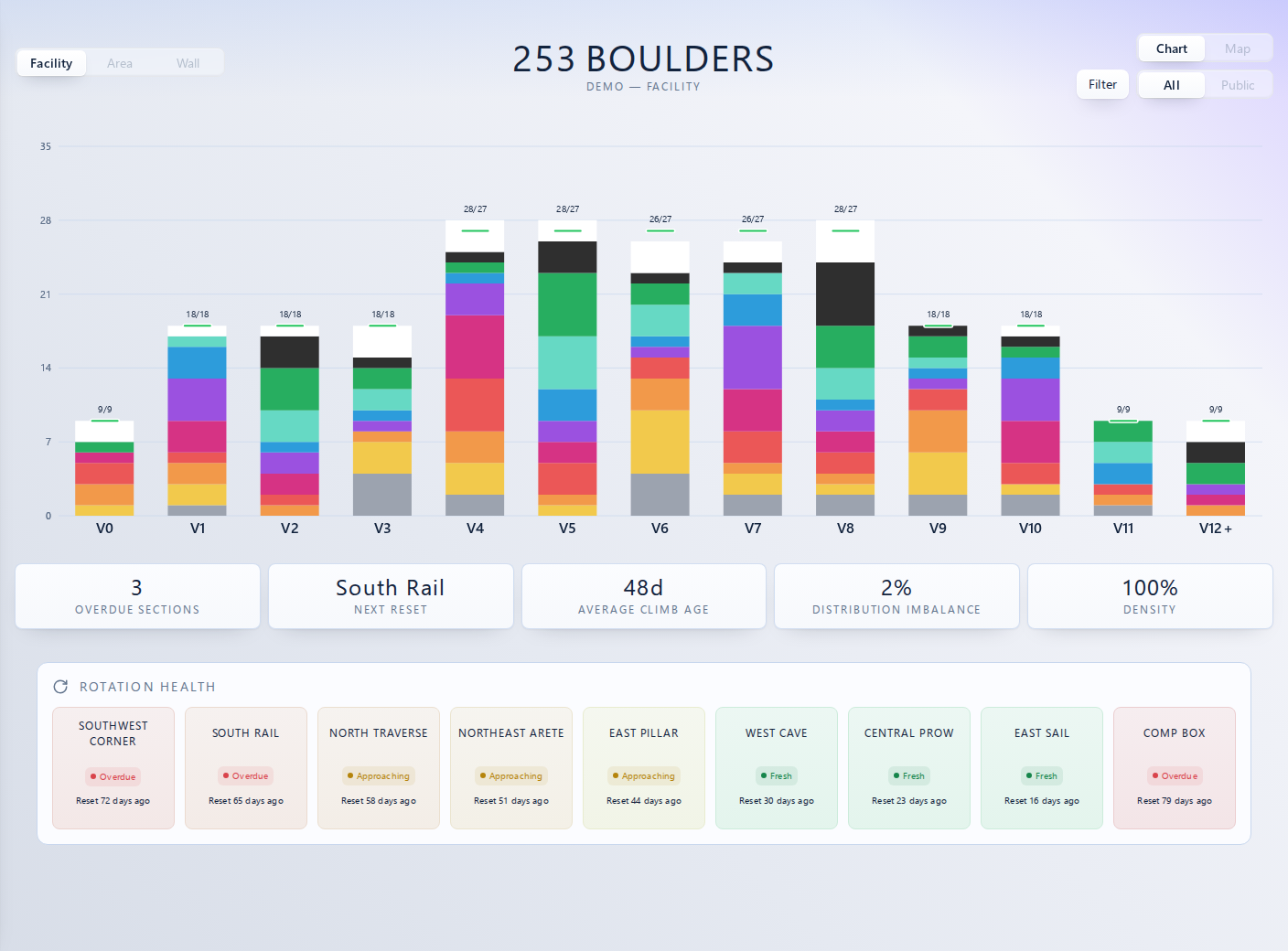
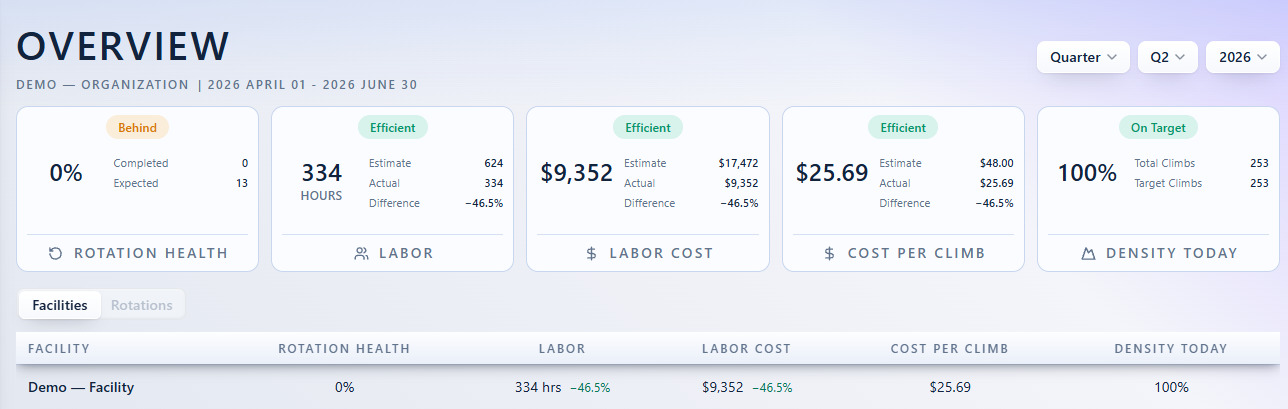
Compare the climbs on your walls with your grade targets. Give your next set a clear starting point.
 ONSET
ONSETPlan resets, track maintenance, and understand climber activity. OnSet connects your managers, setters, and climbers in one facility workspace.
Explore the demoCompare the climbs on your walls with your grade targets. Give your next set a clear starting point.
Rotation health shows which walls are overdue or approaching a reset, alongside the time since their last set.
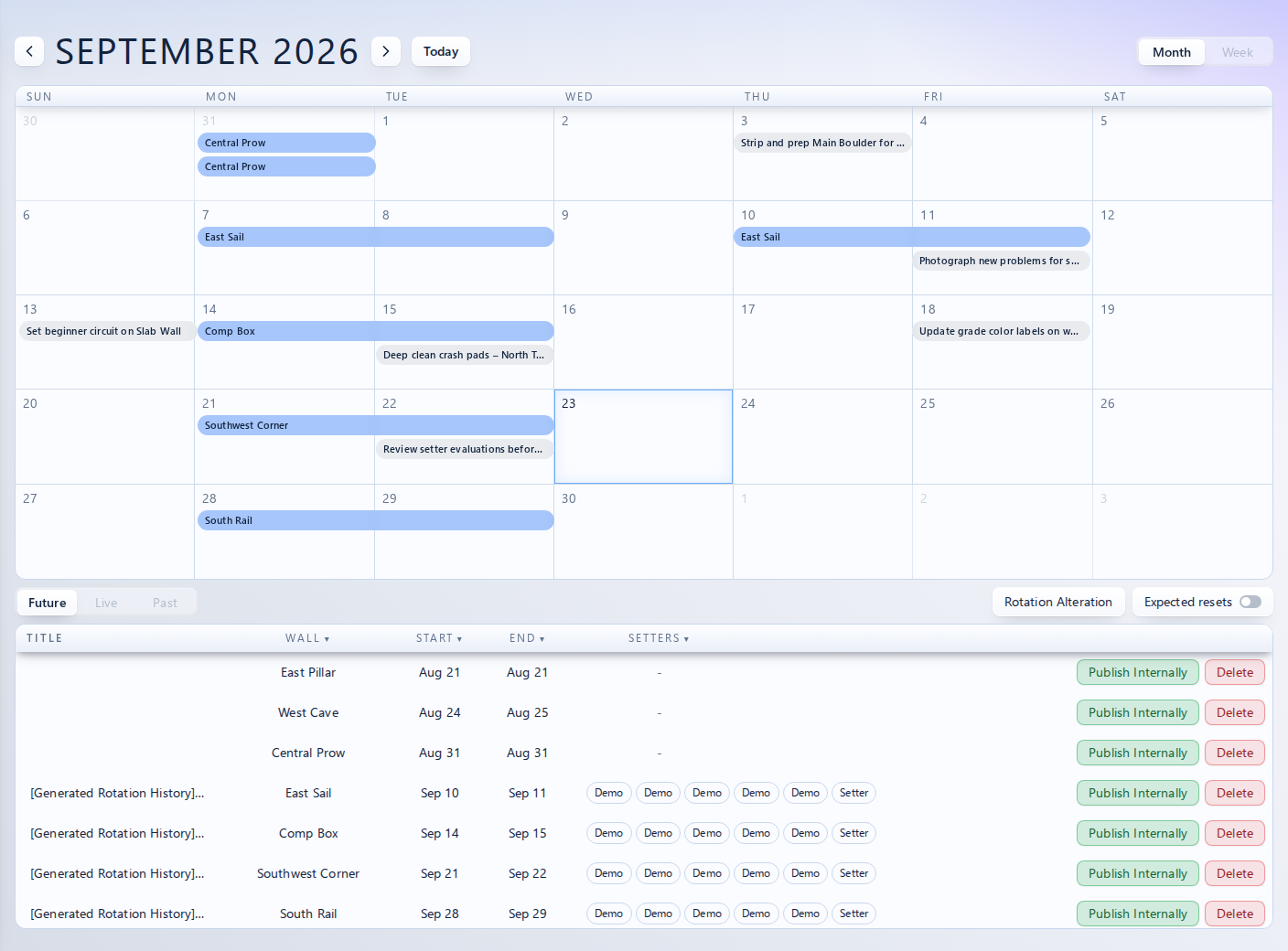
Bring wall resets and team assignments into a shared planner, so everyone can see the work ahead.
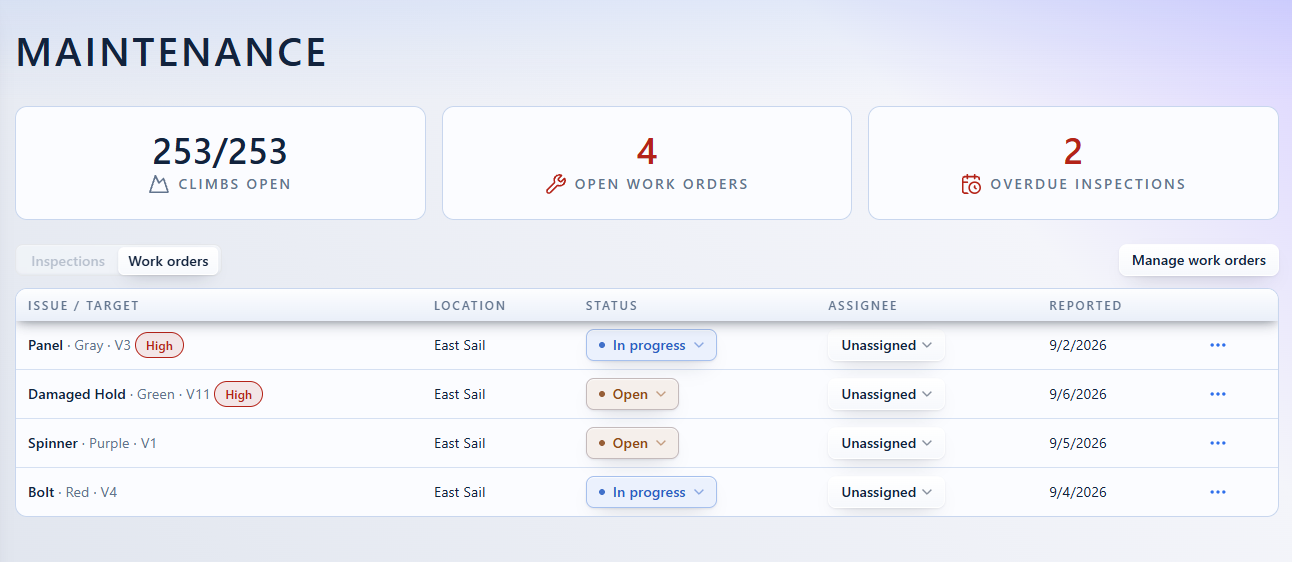
See open work orders and overdue inspections together. Track each reported issue, assign responsibility, and follow its status through to completion.
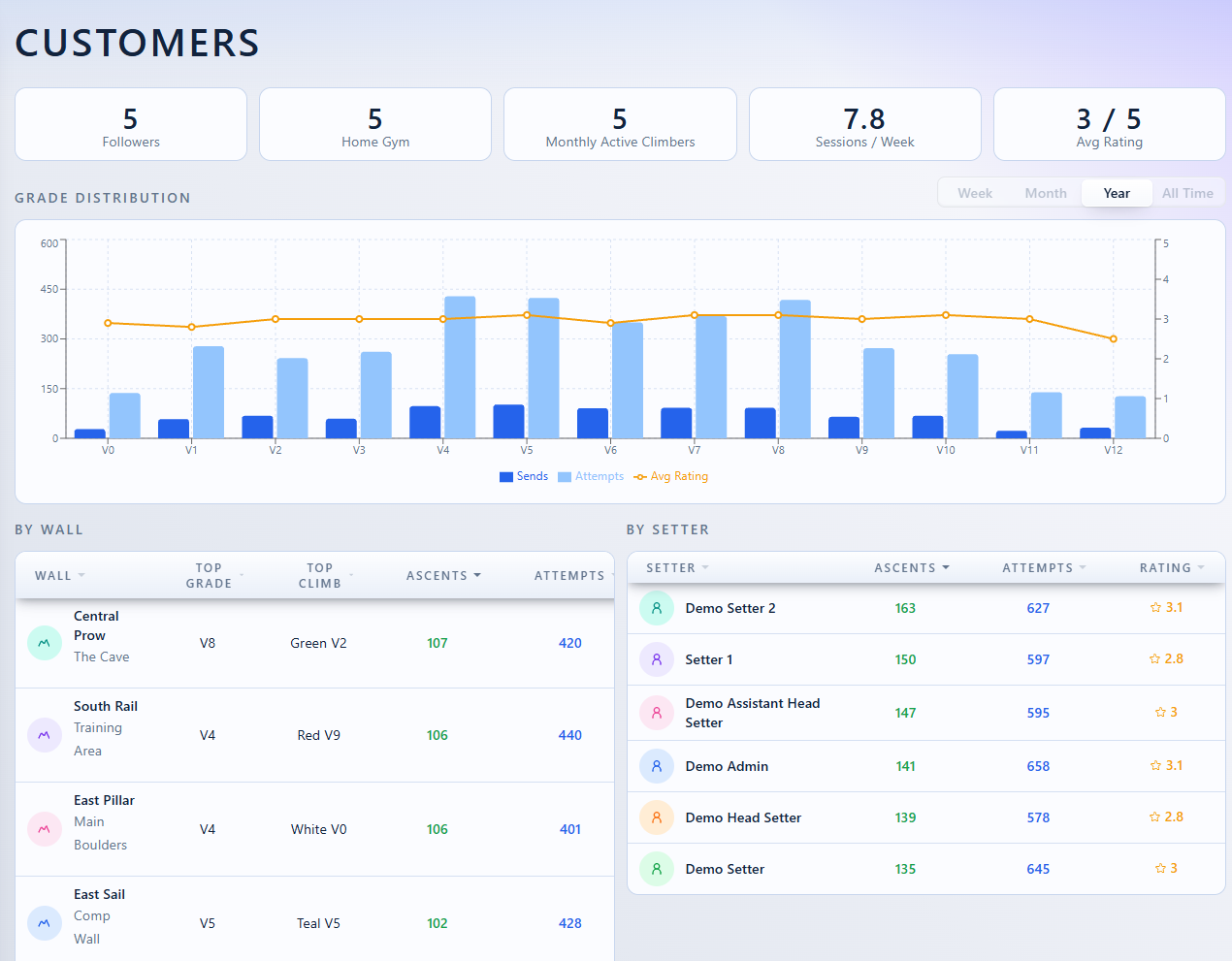
Review the sends, attempts, and ratings climbers record in the customer app. Compare activity across grades and walls to help inform your next set.
Plan event climbs, walls, and setter assignments. Keep the route-setting work connected to the event.
Set registration details, manage competitors, and schedule competition stages or league rounds.
Manage competition scoring and leaderboards, or track standings across league rounds.
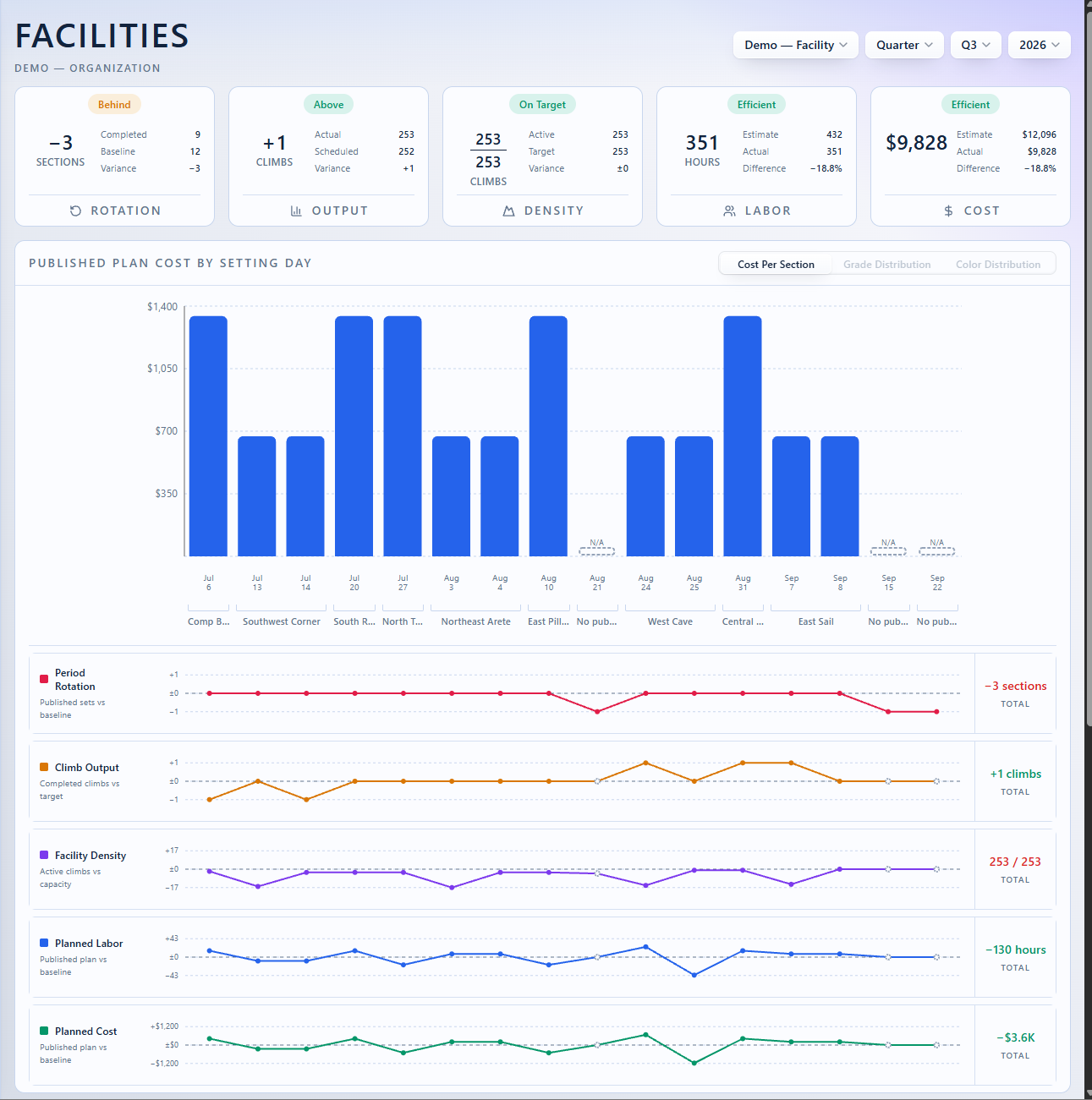
See published plan costs alongside rotation, climb output, and planned labor. Identify where the work differs from your baseline.
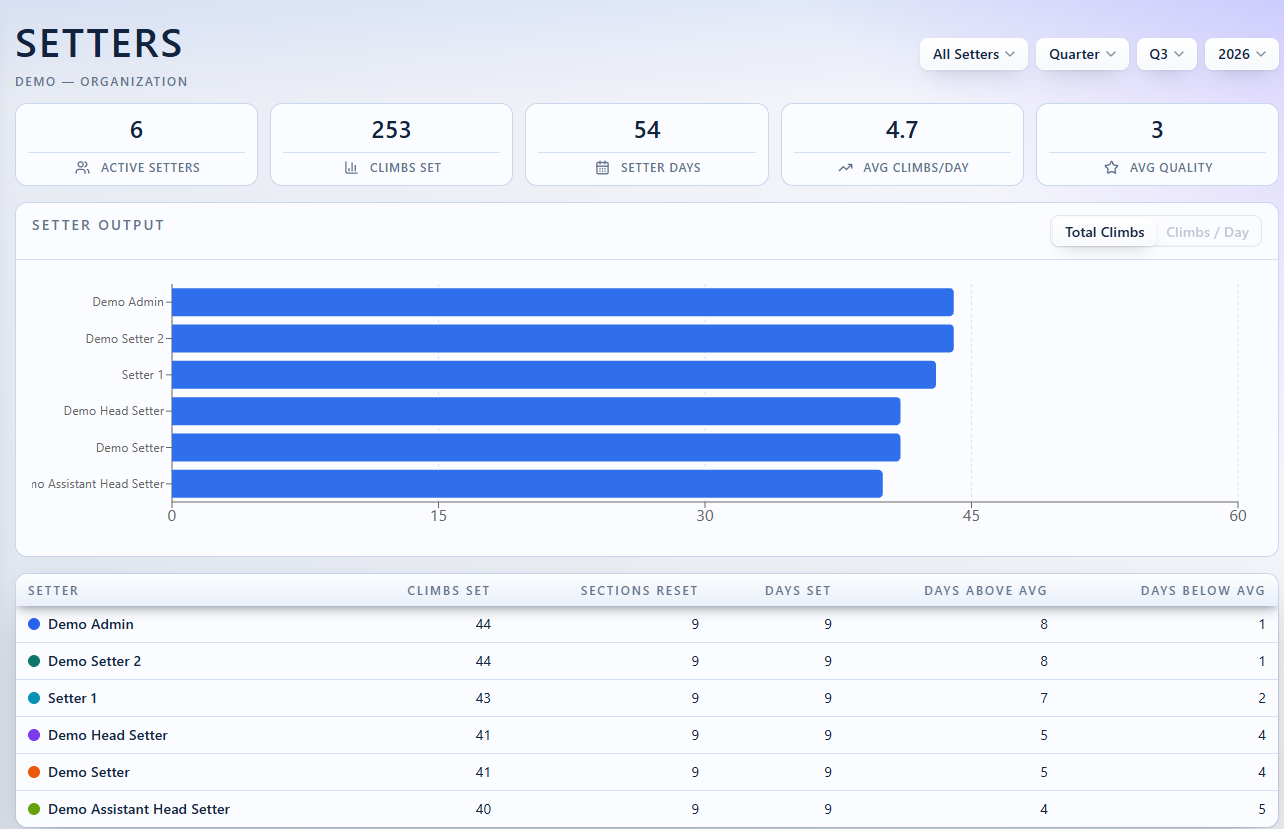
Review climbs set, setting days, and output by setter. Connect the team’s work to the wider picture of your organization.
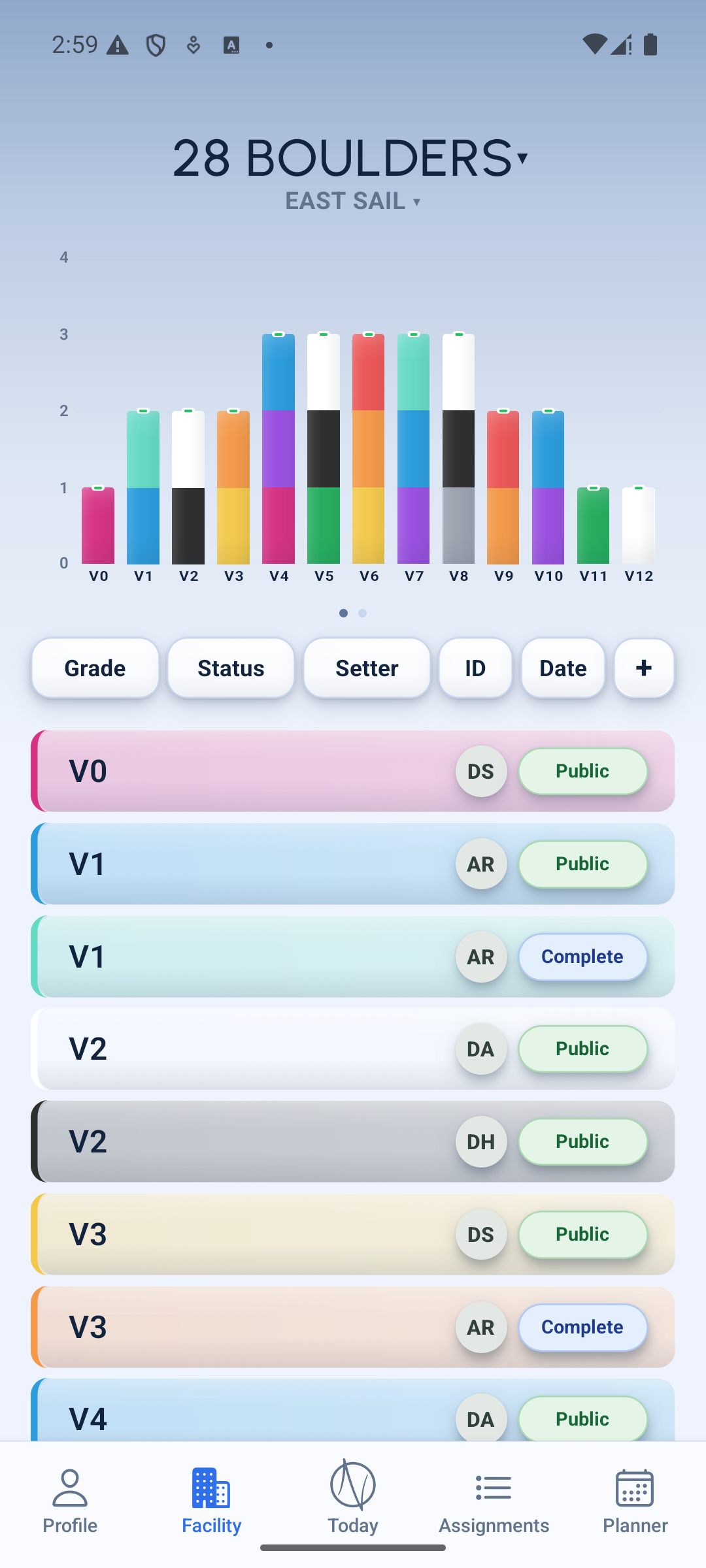
Open a wall in the OnSet staff app to see its grade mix and climb list. Filter by grade, status, or setter, then open a climb to update its details.
The staff app and web workspace use the same facility records. Your team can plan at a desk and record the work on the floor.
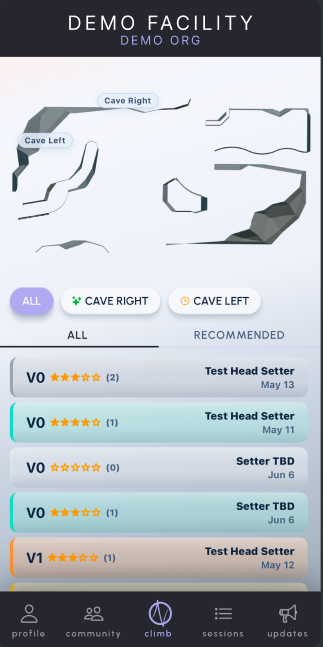
In Onset Climb, climbers explore the facility map, filter by wall, and browse published climbs with their grades and ratings.
Climbers can record sends, attempts, and ratings in the customer app. That activity feeds your customer analytics, helping your team understand what people climb and how they rate it.
Each app has a different job. Together, they connect the plan, the work on the wall, and the climbing experience.
Managers use the web app to review walls, schedule resets, and assign tasks. Track maintenance and customer activity from the same workspace.
Setters open the planner and assignments in the OnSet staff app. Update climb grades, colors, and statuses as you work, using the same facility records shown on the web.
Climbers use Onset Climb to browse published climbs and record sends, attempts, and ratings. Staff can review that activity in customer analytics when planning future sets.
Staff manage the setting work. Climbers see published climbs. Their logged activity helps your team understand how the setting is being used.
All facility features included. Organization Overview is available on higher plans. Pricing scales with your organization’s size and service needs.
Explore the demo for a self-guided product tour, or contact us to arrange a conversation about your facility.
Starting at
$100 / month
per facility